

Market Analyzer
GTM teams size markets from analyst reports and spreadsheets that stop at the category level, then find that the account list underneath does not exist. Market Analyzer answers market questions in conversation and returns the named accounts behind every number.
Which market problems does Market Analyzer solve?
A market size with no account list under it
Analyst market sizes describe a category in aggregate and stop there. A team building a territory plan, a campaign audience, or a quota model cannot act on a number that names no companies, so the sizing work restarts in a spreadsheet every planning cycle.
Whitespace nobody in the room can name
Most teams can describe their customers and their category, but cannot list the companies between the two. Without an account-level view of the market minus the current customer base, expansion planning falls back to intuition about which segments are still open.
Competitor presence measured by anecdote
Win and loss notes record which competitor showed up in a deal, not how much of a segment that competitor holds. Displacement campaigns built on anecdote target the accounts a seller happened to meet rather than the accounts where a competing product is installed.
ICP definitions that cannot be defended
An ideal customer profile assembled from opinion shifts every time leadership does. Sales and marketing then prioritize different accounts from the same nominal profile, and the disagreement surfaces as pipeline arguments rather than a testable difference in segmentation criteria.
What does Market Analyzer include?
Jobs performed: TAM, SAM, and SOM sizing, ICP definition, segmentation, whitespace discovery, competitive penetration analysis, and account scoring
Data inputs: Technology installs, IT spend across 150+ categories, corporate hierarchy, firmographics, HG Contextual Buyer Intent, and TrustRadius Buyer Intent
First-party inputs: Customer account lists, win and loss records, lead records, and website visitor activity supplied by the customer
Install history depth: 15+ years of technology install history, with first-seen and last-seen dates on every record
Integrations: Salesforce, HubSpot, Intercom, and Segment for audience activation, plus file export for lists and workbooks
Security and compliance: SOC 2 Type II, GDPR, and CCPA, with authenticated and logged access
What does Market Analyzer do?
Conversational market analysis
Market Analyzer takes market, segment, and account questions typed in plain language and returns the matching companies, segment counts, and visualizations without the user building a filter chain first. A GTM analyst asks for the market in the same words used in the planning meeting and gets a segment back in the same session. Work that previously required a dashboard specialist moves to the person who owns the plan, which is what turns market sizing from a quarterly project into a repeatable step.
Bottom-up TAM, SAM, and SOM sizing
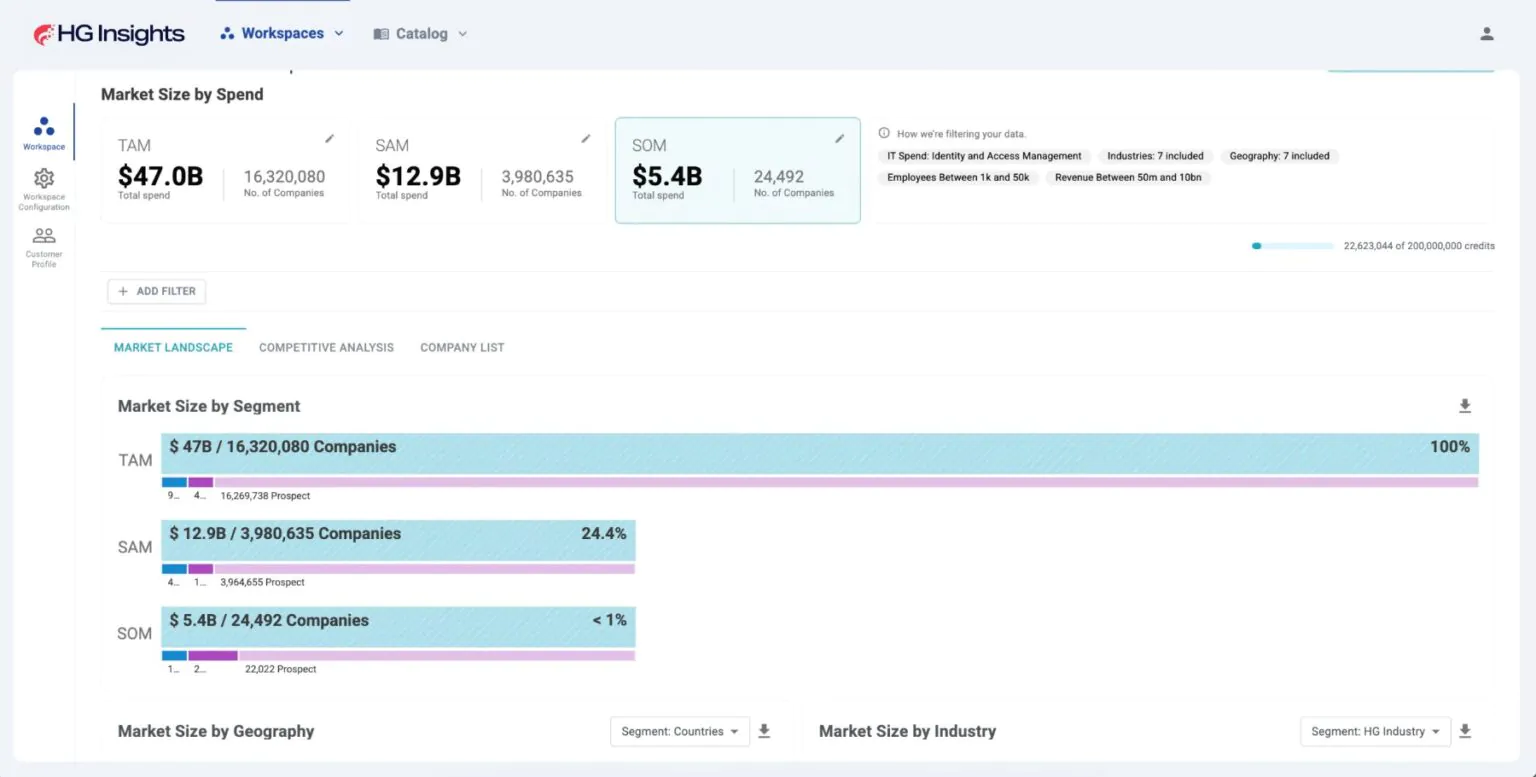
Market Analyzer builds each market layer by counting the individual companies that match a definition, using IT spend to set the total market, industry and geography to set the serviceable market, and company size to set the obtainable market. Every market figure resolves to a list of named accounts, so a board-level number and a seller-level target list come from the same definition. When leadership questions a market assumption, the answer is a filter change rather than a new research engagement, and the revised number arrives inside the same conversation.
Whitespace and competitive penetration views
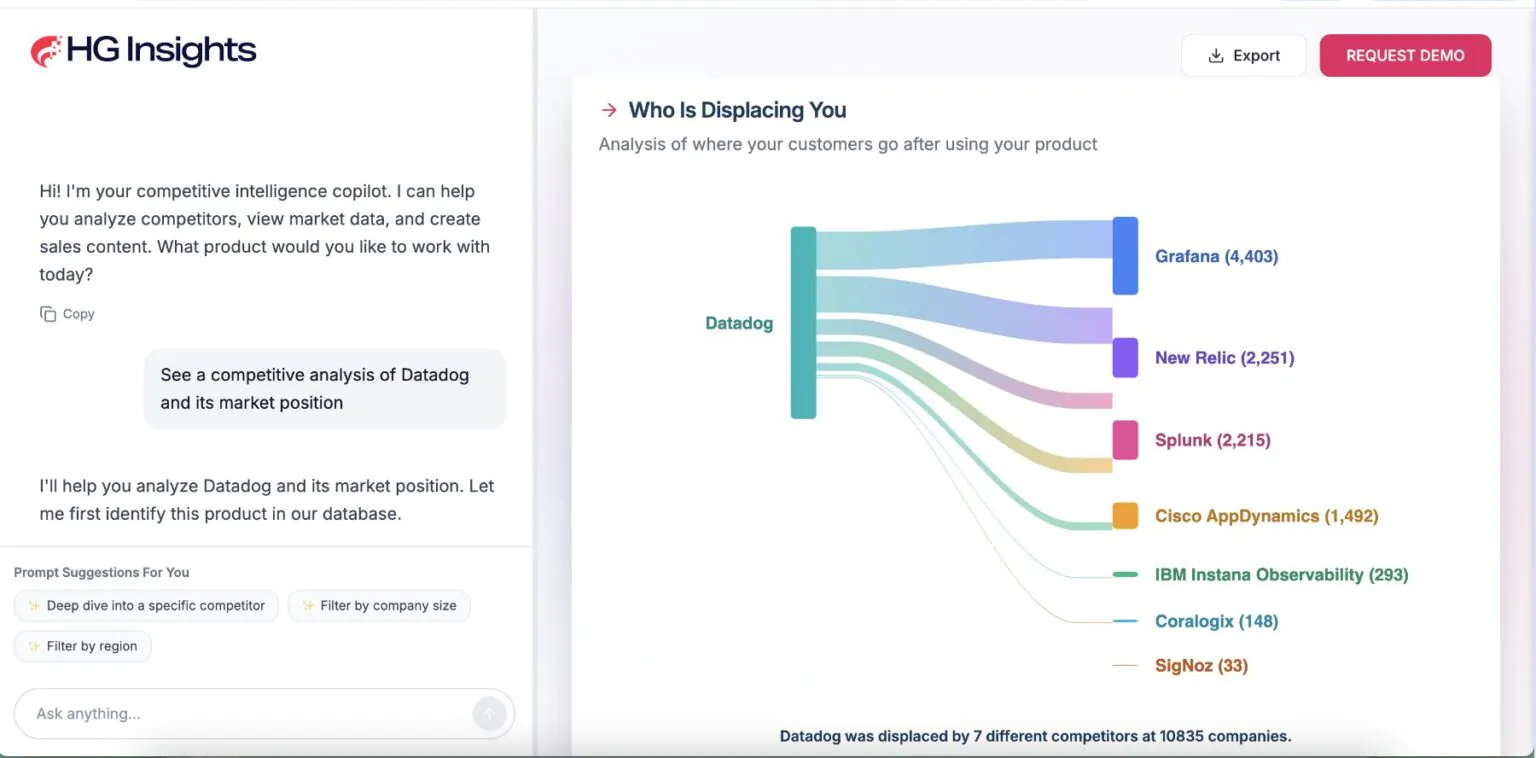
Market Analyzer removes an uploaded customer list from a defined market to leave untouched accounts, and reports competitor install share, penetration trend, and displacement candidates by segment, region, and account. Expansion and displacement stop competing for the same generic target list. A team running a competitive takeout motion works accounts where a competing product is installed, while the expansion team works the accounts that no vendor in the category has reached yet.
AI Scoring
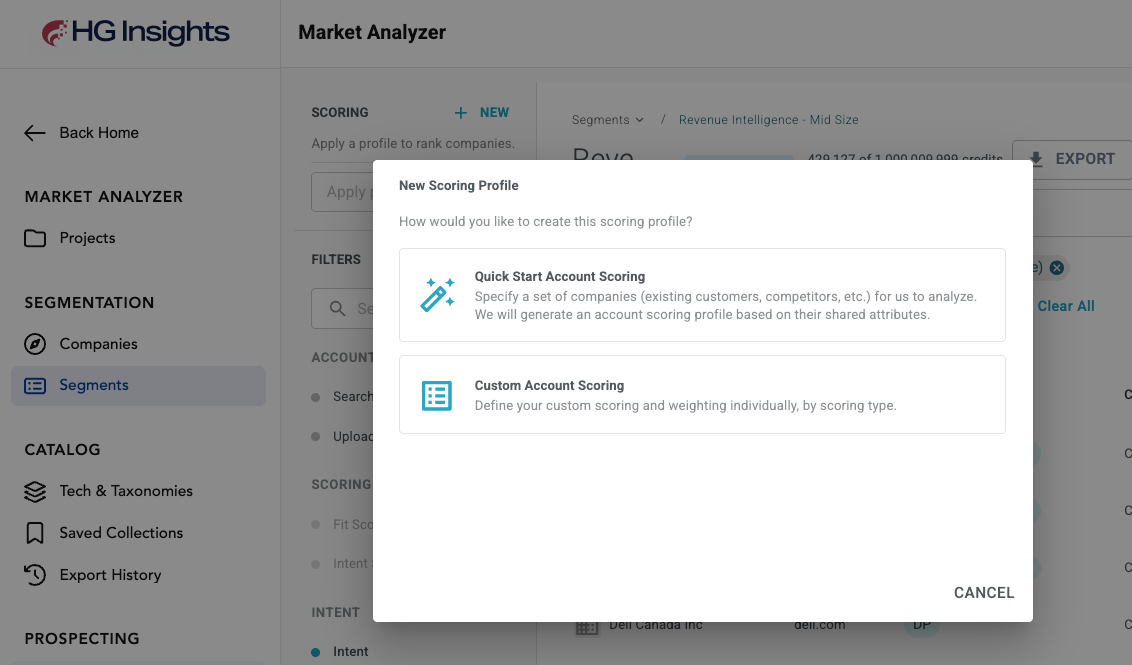
AI Scoring researches the customer's business and offerings, then builds a point-based Fit, Need, and Intent model in Market Analyzer, showing the condition, point allocation, and rationale behind every dimension. The resulting scores are deterministic and readable, so a sales leader asking why an account ranked where it did gets the rule rather than a black-box number. Teams run a separate model per product line or sales play, and any admin can adjust a model without knowing the underlying data structure.
How does Market Analyzer work?
The user states the market in plain language or through the configuration wizard. IT spend categories set the total addressable market, industry and geography set the serviceable market, and company size and hierarchy level set the obtainable market. An uploaded customer list marks accounts already won.
Market Analyzer resolves the definition against the HG Insights company universe and returns counts, segment comparisons, and competitor share. As of Q3 2026, 26,380 corporate parents worldwide with 1,000 or more employees run a customer relationship management application, 10,283 of them are headquartered in the United States, and 2,976 of those carry 5,000 or more employees.
Segments are saved as workbooks, scored with a Fit, Need, and Intent model, and pushed to Salesforce, HubSpot, Intercom, or Segment for campaign and territory activation. Narrowing the same United States segment to companies running a competing customer relationship management vendor leaves 2,406 displacement candidates as of Q3 2026.
Every count above comes from the HG Insights company universe as of Q3 2026 and resolves to named accounts rather than an estimate, which separates a market model a team can present from one a team can work. Technographic data supplies the install signal and firmographic data the boundaries.
Which use cases does Market Analyzer support?
Size a market from the accounts that make it up, then segment it by industry, geography, revenue, and installed technology. The outcome is a defensible TAM, SAM, and SOM that planning, finance, and sales leadership can all work from without rebuilding the model separately.
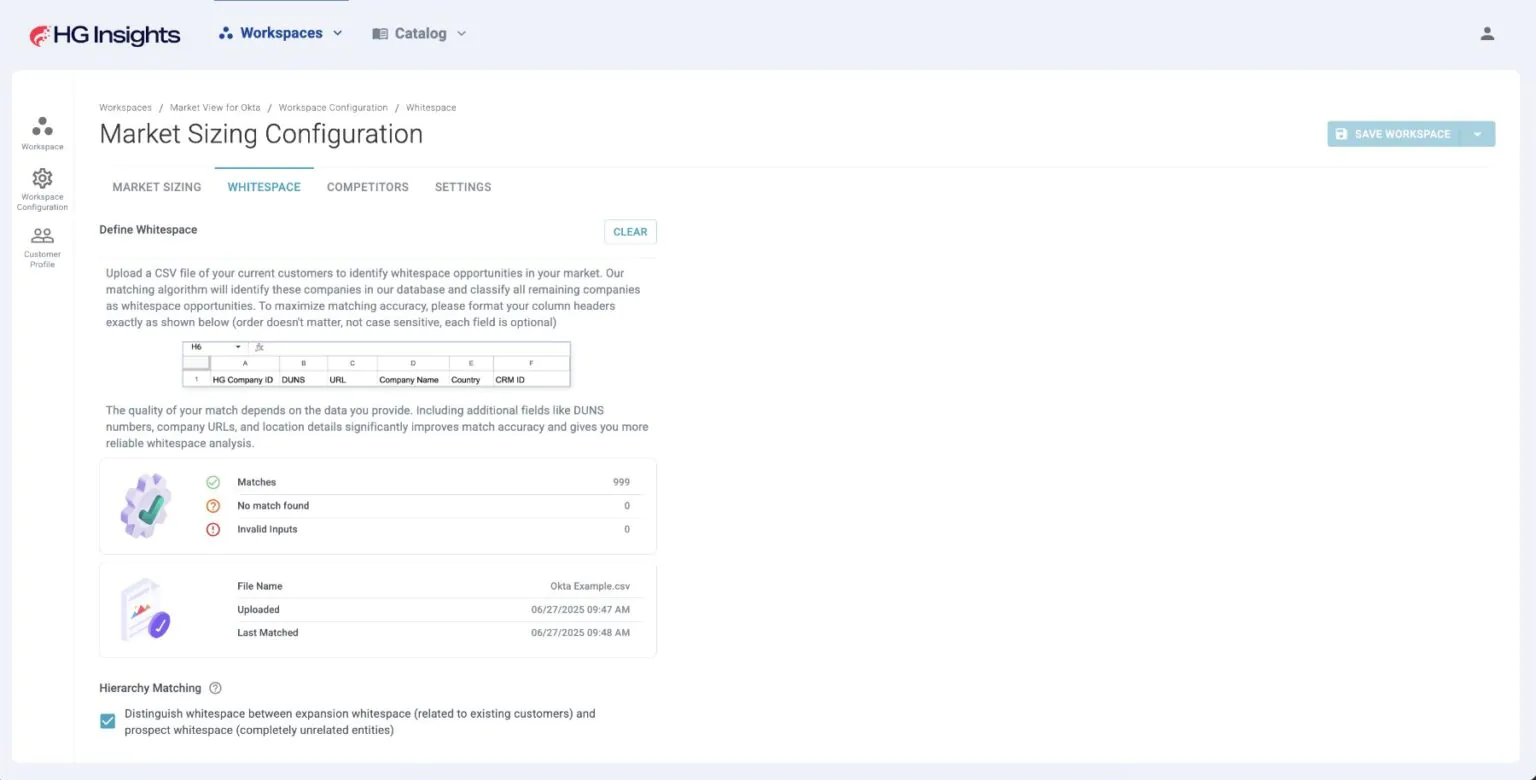
Subtract the current customer base from a defined market to surface accounts no seller has touched. The outcome is an expansion target list scoped to real companies, so growth planning starts from named accounts rather than from an assumption about which segments remain open.
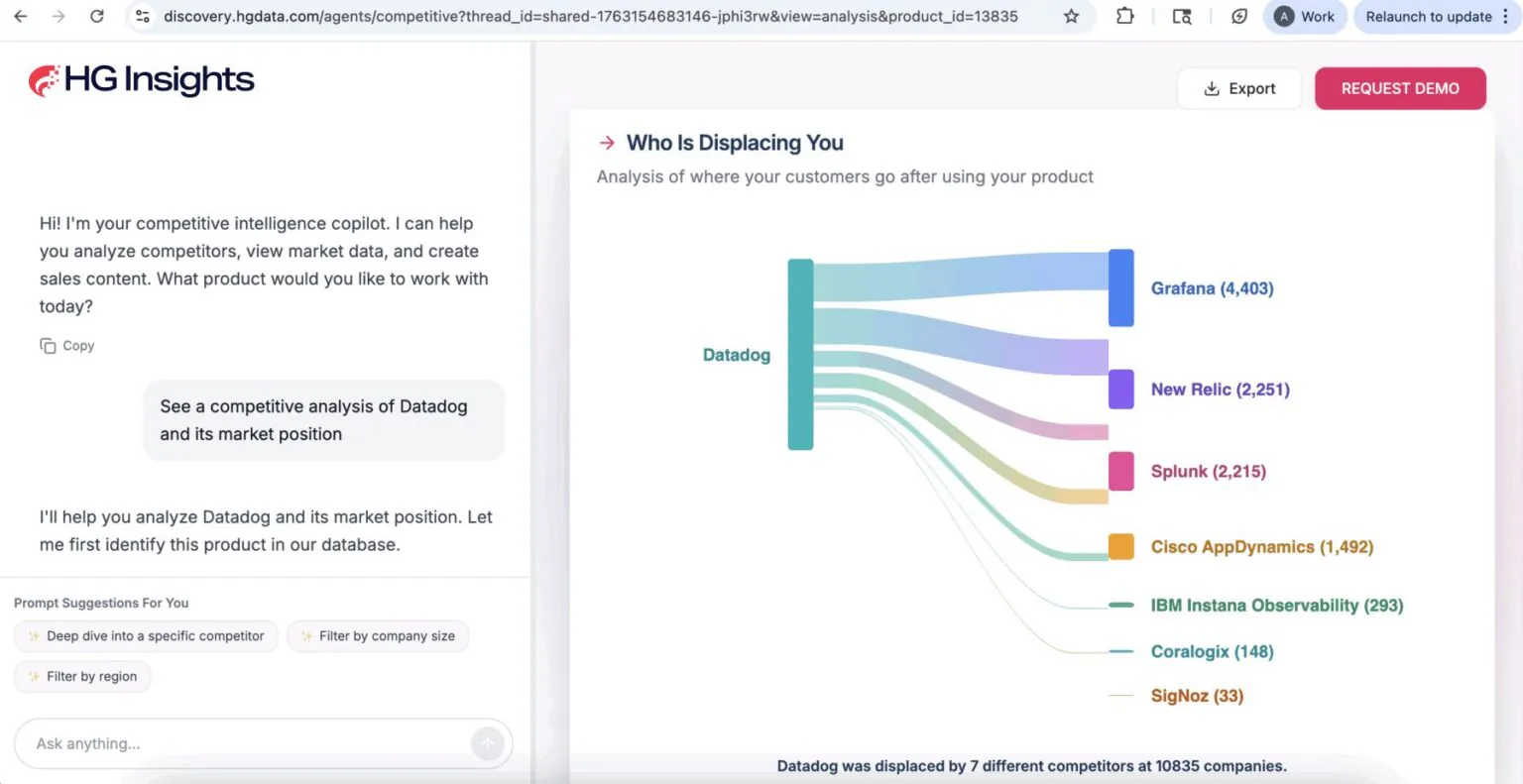
Measure how much of a segment a competitor holds, watch penetration move over time, and pull the accounts where a competing product is installed. The outcome is a displacement campaign aimed at verified installs instead of at deal anecdotes from the last quarter.
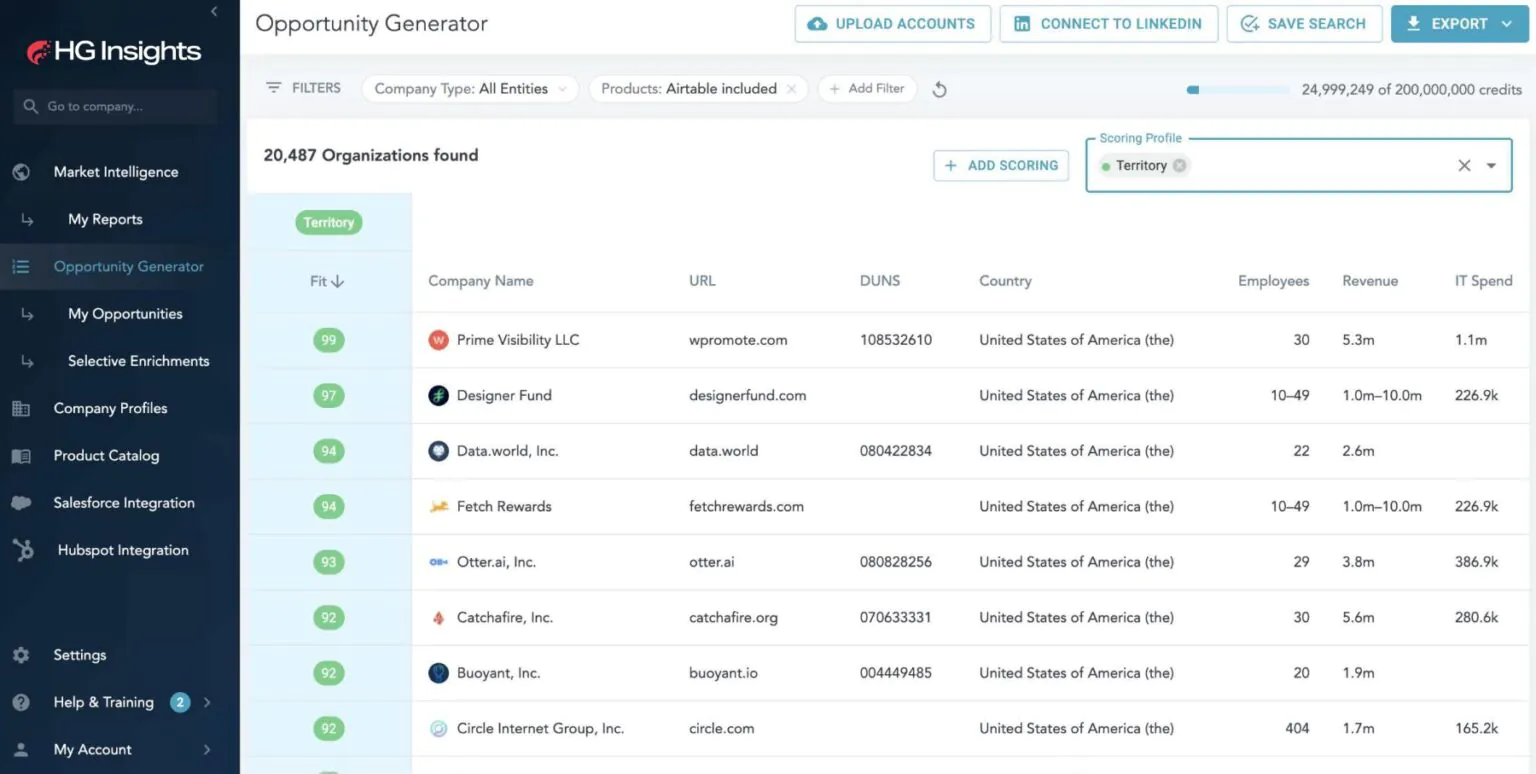
Build territories from account-level market data so each seller carries comparable opportunity. The outcome is a quota and coverage model tied to where addressable accounts actually sit, which reduces the mid-year rebalancing that follows territories drawn from headcount alone.
How do customers use Market Analyzer?

Hyland Software used HG Insights to complete a market picture that Gartner and IDC left at the category level, then built a unified global ICP across five sales plays with an account score on every company inside it. Stratyve narrows client TAM into SAM and SOM by company size, revenue, and geography, then maps personas to the accounts that matter most.
Those other sources are great, but they don't tell us the number of companies or the install base in a competitive space. HG Insights helps us complete that picture so we can make informed decisions about entering new markets.
What does Market Analyzer support?
Bottom-up account-level TAM, SAM, and SOM construction with top-down comparison.
Result lands in: Segment views and saved workbooks.
Company type, industry, geography, revenue, employee count, technology install, install age, and IT spend.
Result lands in: Companies view.
Uploaded customer lists excluded from a defined market to leave untouched accounts.
Result lands in: Whitespace views.
Competitor install share, penetration trend over time, and displacement candidates by segment.
Result lands in: Competitive landscape views.
Point-based Fit, Need, and Intent models with per-dimension rationale, version history, and simulate mode.
Result lands in: Companies view filter.
Salesforce, HubSpot, Intercom, Segment, and file export.
Result lands in: CRM, marketing, and campaign systems.
Which products work with Market Analyzer?

Fabric
Fabric is the foundation every Market Analyzer figure resolves against. Licensed alongside Market Analyzer, Fabric also delivers the same install, spend, hierarchy, and intent records into a data warehouse or CRM by API or direct feed.

Data Studio
Data Studio builds predictive models on first-party CRM and product data in a no-code environment. Run beside Market Analyzer, Data Studio adds conversion-trained inbound scoring to the outbound prioritization Market Analyzer produces.

Sales Copilot
Sales Copilot turns prioritized accounts into daily seller actions ranked by offering and sales motion. Running after Market Analyzer, Sales Copilot takes the scored account list and tells a rep which product to lead with and why.

HG MCP Server
HG MCP Server exposes the same intelligence to customer-built AI agents and MCP clients. Alongside Market Analyzer, HG MCP Server lets a team query market and account data inside workflows it already runs.